Drupal外观主题设计(1):超级简明教程
Submitted by kzeng on Wed, 2006-05-10 22:27
本教程突出两个特点:1)超级;2)简明。所谓超级,就是说你不需要任何关于PHP或是Drupal编程的知识;所谓简明,从这一句起我不再说废话:)使用本教程之前,请准备三样东西:
- 空白的Drupal主题,也就是Foundation Theme,可以在这里下载zip文件。这个主题定义了所有的CSS式样,但是它
Style.css是空白的,方便你填补。 - Firefox 浏览器;
<script type="text/javascript">
</script>
<script type="text/javascript" src="http://pagead2.googlesyndication.com/pagead/show_ads.js">
</script> - Firefox的Web Developer插件;
第一步,把空白的Foundation Theme的zip文件解压,放在一个名字叫做example的文件夹中(文件夹可以任意命名),然后上传到你的Drupal的Themes目录下,用安装了Web Developer插件的Firefox浏览器打开你的网站(最好是测试网站),在管理-〉主题中启用这个叫做example的主题,如果是你的正式网站,那么在你的个人账户中把主题设置为example,这样并不影响访客正常访问的你的网站。保存设置后你可以看到下图:
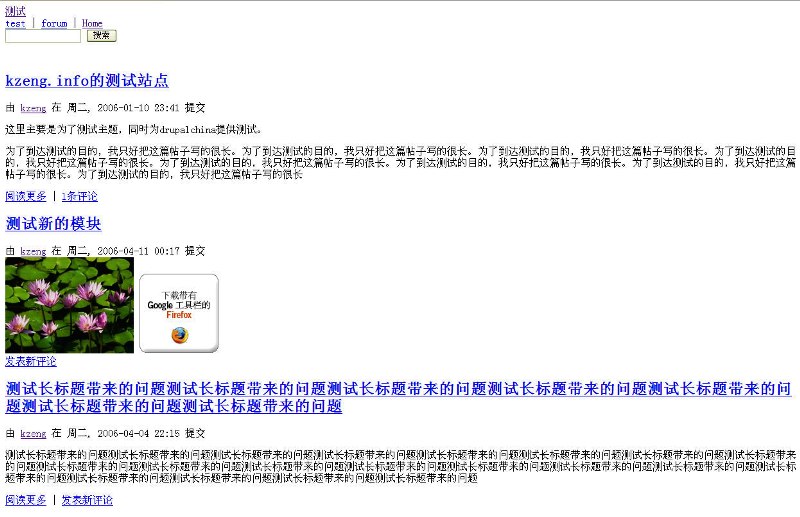
这个主题是不是苍白得可爱?现在开始动手美化它。ctrl+shift+e 打开Web Developer的CSS编辑侧边栏,选择编辑 style.css 文件,现在你可以任意的添加CSS属性并立即看到效果。使用Web Developer 工具栏(这个工具栏默认是显示的,如果没有显示,在Firefox的工具栏上点击右键选择显示)中Information中的 Display Div Order,可以清楚的看到各个Div的class与摆放,现通过float属性把 Header, Container(包括sidebar与page,利用float属性调整), Footer三个主要div摆顺(见下图):
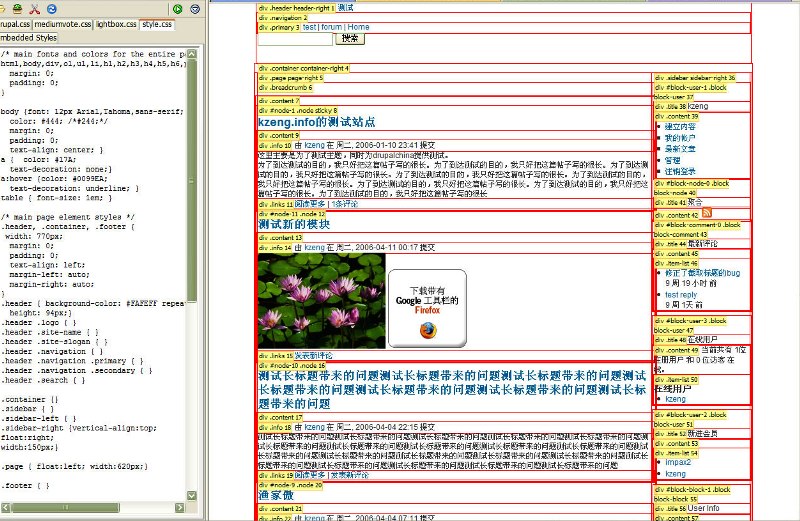
其实如果不显示div的信息,这个主题已经初具雏形了。再往下只需要再稍微改动一下,一个新鲜的主题就出炉了。至于改动的一般经验(譬如一些常用的CSS设置,将在后面的进阶教程中讲到,但是如果你熟悉CSS,到这里已经足够用了)最后要注意改完 style.css 以后一定要保存下来,替换你上传到 /themes/example/ 路径下的style.css 文件。